
测试文章
Overview
Pages are where users write everything from quick notes, to shared documents, to curated landing pages in Notion. Integrations can help users turn Notion into the single source of truth by syndicating content or help users gather, connect, and visualize content inside Notion.
In this guide, you'll learn about how the building blocks of page content are represented in the API and what you can do with them. By the end, you'll be able to create new pages with content, read content from other pages, and add blocks to existing pages.
Page content versus properties
In general, page properties are best for capturing structured information such as a due date, a category, or a relationship to another page. Page content is best for looser structures or free form content. Page content is where users compose their thoughts or tell a story. Page properties are where users capture data and build systems. Your integration should aim to use each in the way users expect.
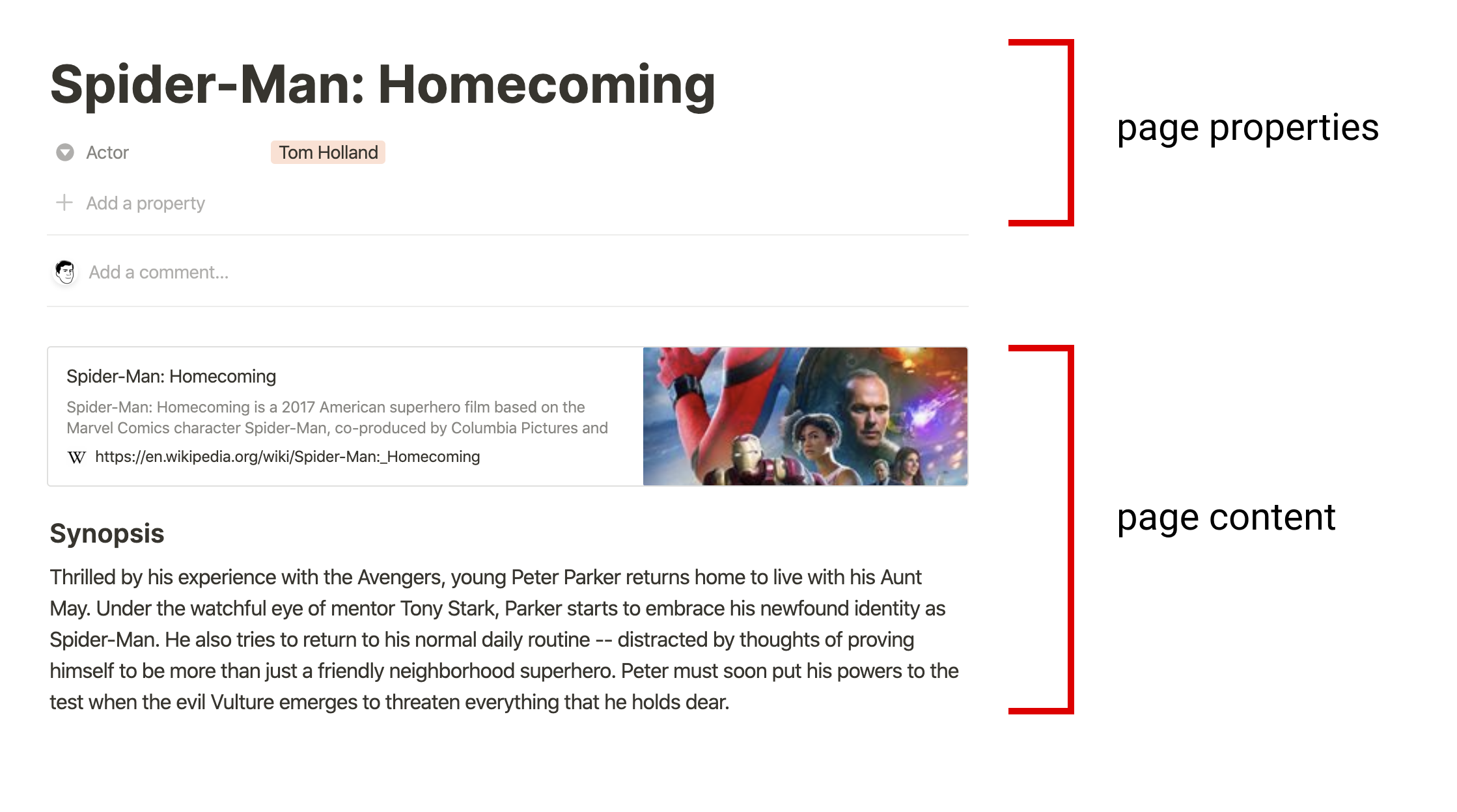
Visualizing page properties versus page content
Modeling content as blocks
A page's content is represented by a list of block objects. These blocks are referred to as the page's children. Each block has a type, such as a paragraph, a heading, or an image. Some types of blocks, such as a toggle list, have children of their own.
Let's start with a simple example, a paragraph block:
{
  "object": "block",
  "id": "380c78c0-e0f5-4565-bdbd-c4ccb079050d",
  "type": "paragraph",
  "created_time": "",
  "last_edited_time": "",
  "has_children": false,

  "paragraph": {
    "text": [/* details omitted */]
  }
}
Paragraph blocks include common properties which every block includes: object, type, created_time, last_edited_time, and has_children. In addition, it contains type-specific information inside the paragraph property. Paragraph blocks have a text property. Other block types have different type-specific properties.
Now let's look at an example where the block has child blocks: a paragraph followed by an indented todo block:
{
  "object": "block",
  "id": "380c78c0-e0f5-4565-bdbd-c4ccb079050d",
  "type": "paragraph",
  "created_time": "",
  "last_edited_time": "",
  "has_children": true,

  "paragraph": {
    "text": [/* details omitted */],
    "children": [
      {
        "object": "block",
        "id": "6d5b2463-a1c1-4e22-9b3b-49b3fe7ad384",
        "type": "to_do",
        "created_time": "",
        "last_edited_time": "",
        "has_children": false,

        "to_do": {
          "text": [/* details omitted */],
          "checked": false
        }
      }
    ]
  }
}
Child blocks are represented as a list of blocks inside the type-specific property. When a block has children, the has_children property is true. Only some block types, like paragraph blocks, support children.
📘Pages are also blocks
🚧Unsupported block types
测试